If you’re wondering how to restart Monkey Mart, it’s easy! Since it’s a browser or mobile game, you typically just need to close the tab or app and clear your browser’s site data. There’s no in-game “New Game” button to restart the game, but you can easily begin fresh with a few simple steps. Whether you’re playing on a computer, mobile device, or emulator, this guide will show you how to quickly restart and enjoy a fresh start.
Restarting Monkey Mart on a Browser
To restart Monkey Mart on a browser, the process is straightforward. First, close the tab where the game is running. Then, clear the site data from your browser settings to ensure all progress is erased. This can be done easily by navigating to the browser settings and selecting the option to clear cookies and site data.
After clearing the data, refresh the game page or open a new tab with the game URL. This action will give you a fresh start, and you can play again without carrying over any previous progress. It’s important to note that clearing site data will also remove saved settings and preferences, so you’ll be starting completely fresh.
If you’ve linked your game to an account, progress may be saved, so check before clearing data if you want to keep any information.
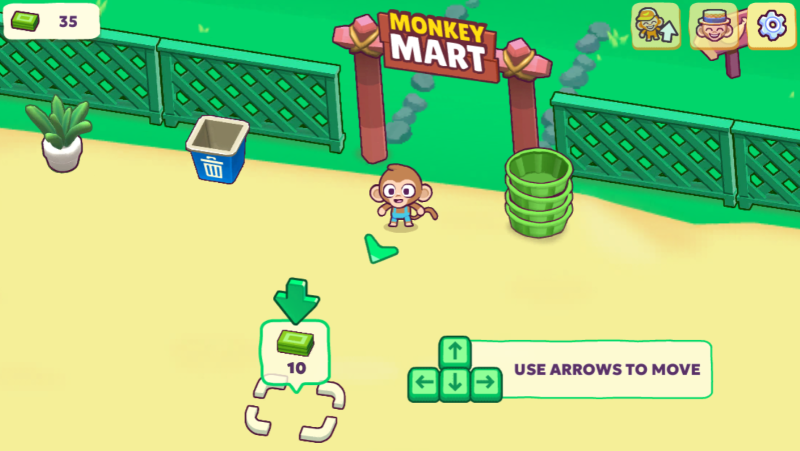
Restarting Monkey Mart on a Mobile Device
On a mobile device, restarting Monkey Mart involves deleting and reinstalling the app. Simply delete the app from your device, which removes all game data. After deletion, go to the app store and reinstall the game.
Once the game is reinstalled, you’ll start with a clean slate, free from any previous progress. Just like on a browser, there’s no “New Game” button, so deleting and reinstalling the app is the best way to restart the game. Keep in mind that if you have an account linked to the game, some progress may be recovered unless you unlink it.
Restarting Monkey Mart on a PC or Emulator
For PC players or those using an emulator, restarting Monkey Mart is a little different but still easy. You’ll need to clear the local storage or delete the emulator’s saved data. If you’re playing through a browser-based emulator, clearing the browser’s site data will have the same effect as on a regular browser.
Alternatively, if you’re using a standalone emulator, find the option to delete or clear the app data within the emulator’s settings. This will erase all progress and allow you to start fresh. Refreshing the page or restarting the emulator will reset the game as well, providing you with a clean slate to begin playing again.
Related: Can You Play Monkey Mart on iPad?
Why Restart Monkey Mart?
Restarting Monkey Mart can be helpful for several reasons. If you’ve made mistakes in your store management or want to try a different strategy, starting fresh gives you the opportunity to optimize your gameplay. Additionally, restarting allows you to explore new levels and challenges without being stuck with previous choices.
If you’re aiming for a higher score or more efficient management, clearing your progress lets you refine your approach and implement new techniques. It’s also a great way to challenge yourself and make the most of your gameplay experience.
FAQs
1. How do I restart Monkey Mart on my browser?
To restart the game, close the tab and clear the browser’s site data. Refresh the game page to start fresh.
2. Can I restart Monkey Mart on mobile?
Yes, deleting and reinstalling the app on your mobile device will allow you to restart the game from the beginning.
3. How do I clear the saved data on an emulator?
On an emulator, you can clear saved data from the emulator settings or delete the app’s local storage. Restart the emulator to reset the game.
Ready to Play?
Now that you know how to restart Monkey Mart, head over to monkeymart.co.uk to play the unblocked version of the game. With a wide selection of unblocked games, you can enjoy uninterrupted gameplay and test your skills without restrictions. Start fresh and see how high you can score in Monkey Mart!